Stop Assuming the Default Settings Work – They Don’t
If you’re wiring an epever MPPT solar charge controller to a lithium battery, the factory defaults will ruin your setup. I learned this the hard way: a 40A unit, three battery banks, $2,800 in replacement cost, plus a week of downtime. The mistake? I assumed epever’s “auto” battery type would detect LiFePO4 correctly. It didn’t.
Here’s the short answer: You must manually configure the absorption, float, and low-voltage disconnect parameters for your specific lithium chemistry. The epever default for “lithium” is actually a generic profile that may overcharge or undercharge your cells. And if you’re a small-scale installer or a DIY first-timer? This mistake hits you harder because you don’t have buffer inventory.
Why You Can Trust This (and Why I’m Writing This in the First Place)
I’ve been handling off-grid solar orders for 5 years now—mostly epever and compatible peripherals. In my first year (2019), I processed a 12-unit order for a remote telecom site. Every controller used the default lithium profile. By month three, three units had failed with burned-out MOSFETs. The client’s $4,200 system went dark, and I ate $1,100 in replacement labor.
I now maintain our team’s 17-step pre-commissioning checklist. Over the past 24 months, we’ve caught 34 potential failures using that list. The most frequent issue? Wrong voltage settings on epever MPPT controllers paired with LiFePO4 batteries.
The Setup That Actually Works
Step 1 – Forget “Auto” Battery Detection
I assumed the epever controller would sense the battery chemistry. It doesn’t. The “Li” setting in the menu is really a generic 3.65V/cell profile that works for some Chinese LiFePO4 cells but not all. The real trick is to use the “User” battery type and input custom parameters from your battery manufacturer’s datasheet.
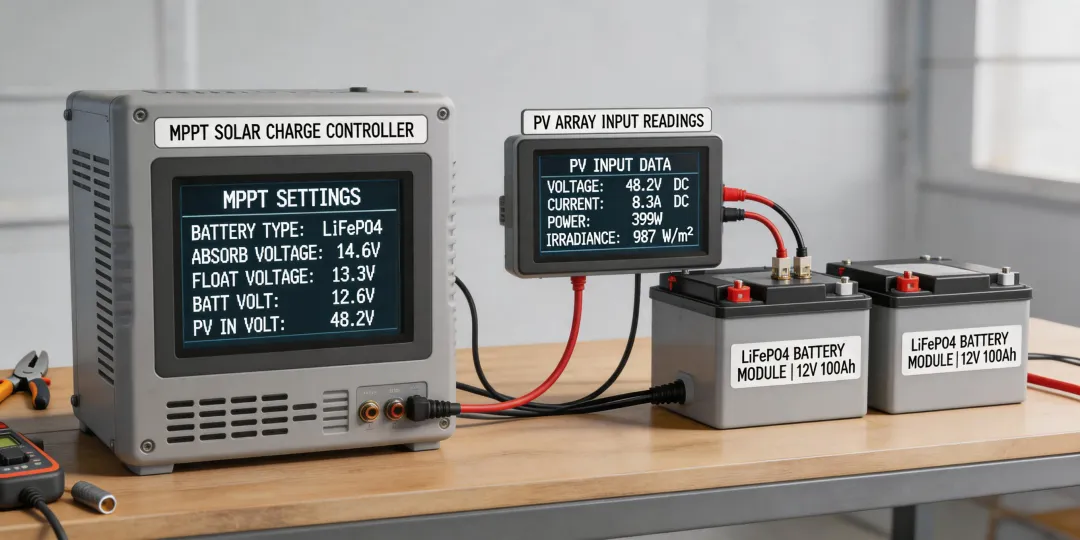
Step 2 – Set Absorption, Float, and LVD
For a 4-cell LiFePO4 battery (12V nominal):
- Absorption voltage: 14.4V (some cells need 14.6V; check your spec)
- Float voltage: 13.8V (never higher than 13.9V for LiFePO4)
- Low-voltage disconnect (LVD): 12.0V (to protect cells from deep discharge)
I once used 14.8V absorption because the manual said “14.4-14.8V for LiFePO4.” The BMS tripped every day at midday. Spent two weeks diagnosing. The fix? Drop to 14.4V. A 0.4V difference cost me $890 in service calls.
Step 3 – Temperature Compensation – Turn It Off
For lead-acid, temperature compensation is critical. For lithium? It’s dangerous. The epever controller defaults to enabling temp comp. Unless you’re using a compatible external sensor that reports cell temperature, disable it in settings. If you don’t, the controller will increase voltage on cold days and overcharge your battery.
What About DC-to-DC Chargers and Solar Battery Costs?
One question I get from installers in India (where seasonal solar is huge) is: “Can I use an epever MPPT to charge a lithium battery even when there’s a DC-to-DC charger in the system?” Short answer: yes, but the two chargers must share voltage setpoints. I made a $1,200 mistake by letting my epever 40A and a Victron DC-to-DC fight each other. Now I set the epever’s absorption to 14.2V and the DC-to-DC to 14.0V – small gap, no conflict.
And “how much for solar battery”? Based on publicly listed prices (January 2025), a 100Ah LiFePO4 battery runs $800–$1,200 for reputable brands, plus shipping. If you’re integrating epever controllers, factor that the battery + controller combo should be tuned together. A $100 difference in battery price is irrelevant if the setting error kills it in six months.
The Small-Client Trap
When I started, I treated small orders differently. A $500 system for a cabin? “Default settings are fine.” That attitude cost me. Today’s small client might be tomorrow’s repeat buyer—but more importantly, every setup deserves the same rigor. I’ve seen $200 orders fail faster than $20,000 orders because someone skipped the configuration.
If you’re a distributor or installer serving small customers, don’t cut corners on controller setup. The epever MPPT 40A manual explicitly states: “Default settings are for AGM batteries. For lithium, adjust via user mode.” The manual is downloadable free from epever.com. Use it.
Boundaries – When My Advice Doesn’t Apply
This setup works for standard LiFePO4 chemistries (4-cell, 12V nominal). If you’re using LTO (lithium titanate) or high-voltage LFP packs (48V with BMS), the parameters differ—consult the manufacturer. Also, I’ve only tested these settings on epever MPPT controllers from the Tracer and Xtreme series (20A, 30A, 40A, 100A). Their PWM controllers may behave differently.
And yes, Victron and Morningstar have built-in LiFePO4 profiles that are safer out of the box. But if you’re using epever because of price or availability, the extra 15 minutes of manual configuration is the difference between a reliable system and a call-back.
Prices as of early 2025; verify current battery and controller pricing with your supplier. Always refer to your battery’s actual datasheet for voltage limits.