I’ll say it straight: If you’re deploying an EPEVER MPPT controller and you just toggle the “Lithium” profile without understanding your battery’s BMS, you’re asking for trouble. I’ve made that mistake – twice – and it cost me over $3,200 in wasted batteries and a reputation hit with a client in Louisville, KY.
Let me back up. In 2022, I was wiring a 5kW off-grid solar system for a ranch outside of Louisville. The spec called for EPEVER’s Tracer 4215AN with four 200Ah LiFePO4 batteries. I’d used their “Lithium” setting dozens of times on smaller systems without issues. So I set it, walked away, and came back three weeks later to find one battery bank completely dead – voltage dropped to 10.2V, BMS had disconnected, and the cell imbalance was irreversible. The client had lost power three times during a cold snap. The culprit? The default lithium profile was charging to 14.4V when those cells had a max absorption of 14.2V. That 0.2V difference triggered the BMS overvoltage protection during equalization cycles.
This isn’t a bash on EPEVER – I still spec their controllers for 70% of my jobs because the price-to-performance ratio is solid. But I’ve learned that their “Lithium Setting” is a starting point, not a solution. Here’s why.
1. Default Lithium Profiles Don’t Know Your BMS Protocol
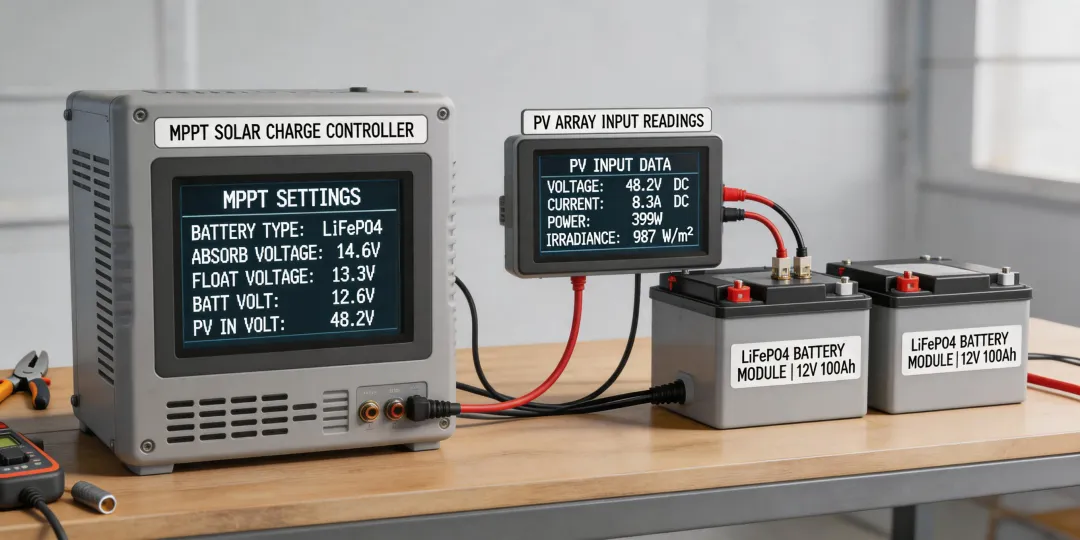
EPEVER’s lithium presets are designed around generic parameters: 14.4V absorption, 13.5V float, and a 2.2V/cell low-voltage disconnect (LVD). Those values work for many LiFePO4 packs, but they’re not universal. For example, a DALY BMS I commonly see in budget batteries uses a 14.0V absorption limit and won’t allow float charging above 13.6V. If you apply EPEVER’s default, the BMS will keep cutting out – and your system will appear “dead” until the user manually resets it.
I saw this again last year on an EV charger installation project – well, not directly, but the same principle. In Louisville, a homeowner wanted solar to feed his Level 2 EV charger. We used an EPEVER inverters pair with a LiFePO4 battery. The default lithium setting caused the inverter to cycle off every time the charger pulled high current because the BMS voltage dipped below LVD threshold for a split second. The fix? Adjust the LVD from 10.8V to 10.2V and shorten absorption time. Took 10 minutes in the MT50 remote meter.
2. Temperature Compensation – The Hidden Gotcha
People think charging temperature affects only lead-acid. Actually, LiFePO4 cells also have temperature limits – just different ones. Full discharge below 0°C damages the cells; charging below 0°C can cause lithium plating. EPEVER’s default lithium profile doesn’t include temperature compensation because it assumes you’re using the controller with a remote temperature sensor (RTS) disabled. Many installers skip the RTS, especially in indoor battery cabinets. I made that mistake on a system in Illinois last winter.
A client near Springfield had a 10kW ground-mount array feeding a 48V bank in an unheated shed. January hit -15°F. The controller tried to charge the battery at standard voltage – the BMS disconnected to protect the cells. The client called me furious because his solar system “didn’t work in winter.” After digging, I found that the EPEVER controller had no temperature data, so it applied full charging voltage even though the cells were at -5°F. The BMS was correctly blocking it. The fix: enable the optional RTS (costs $15) and set the temperature cutoff to -4°F (-20°C).
Here’s an uncomfortable truth: The EPEVER manual recommends an RTS for lithium, but many installers skip it because they think “lithium doesn’t need temperature compensation.” That’s a dangerous oversimplification. Put another way: lead-acid needs temperature compensation to prevent overcharging; lithium needs it to prevent charging when too cold.
3. The 80/20 Rule of Compatibility – When EPEVER Isn’t the Right Fit
I recommend EPEVER for 80% of off-grid systems. But if you’re installing in a region with extreme cold (like Illinois winters) or demanding EV charger integration (like my Louisville job), you might need a controller with more granular BMS communication – e.g., Victron with VE.Direct or a Midnite Solar classic that supports CAN bus. Honest limitations: if your battery has a proprietary BMS with custom charge parameters, EPEVER’s manual settings may not be flexible enough. I ran into this with a Pylontech US2000 battery last year – its recommended charging voltage is 14.0V ±0.1V, and EPEVER’s step size is 0.2V, which meant I couldn’t hit 14.0V exactly. We had to use 14.2V, and the BMS still occasionally threw a warning. That system now runs on a Victron.
But for most LiFePO4 packs – Battle Born, Dakota, Renogy, generic 48V rack mounts – the EPEVER works beautifully once you tweak the parameters. My rule of thumb: if the battery manufacturer provides a charge profile, use it. If they don’t, start with EPEVER’s lithium setting, then watch the BMS logs for a week.
4. And About That Truck Inverter Wiring…
I know the keyword “how to wire a power inverter in a truck” seems unrelated, but the mistake is the same: people assume the inverter’s low-voltage disconnect is set correctly. I once helped a buddy wire a 3000W pure sine inverter in a Ford F-250. He used the inverter’s default LVD of 10.5V. But his auxiliary battery was a small AGM that sagged to 10.2V under the inverter’s surge load. The inverter shut off every time he tried to run a power tool. Sound familiar? It’s the exact same trap as the EPEVER lithium setting – factory defaults are generic, not optimized for your specific hardware.
For truck inverters, I now always adjust the LVD to match the battery’s actual ability. For lithium, that’s usually 10.0V–10.5V; for AGM, 11.0V–11.5V. Same principle as the solar charge controller: know your battery.
Objection: “But the manual says it’s compatible”
I’ve heard this from a system integrator in Chicago. “EPEVER lists lithium compatibility – it should work.” Yes, it works – but “works” doesn’t mean “optimized.” Compatibility means it won’t destroy the battery immediately. Optimization means the battery will last 5,000 cycles instead of 2,000. I’m not saying EPEVER’s lithium setting is bad. I’m saying don’t assume it’s correct for your specific battery without verification.
Honestly, I’m not sure why EPEVER doesn’t publish more detailed lithium profiles per brand. My best guess is that battery BMS firmware changes so fast that a static list would be outdated within months. That’s why the MT50 display is your friend – use it to monitor actual absorption current and adjust.
If you’re in Illinois and installing a solar system with EPEVER, or in Louisville wiring an EV charger alongside solar, start with these steps:
- Get the battery manufacturer’s recommended voltage parameters (absorption, float, LVD, HVD).
- Set the EPEVER controller to “User” mode (not “Lithium” preset) and enter those values.
- Watch the BMS LED or app for the first three full charge cycles. If the BMS disconnects more than once a week, tweak.
- For temperature extremes, install the remote temperature sensor.
This was accurate as of December 2024. EPEVER’s firmware gets updated occasionally – check their site for the latest MT50 firmware. The market changes fast, so verify current parameters before budgeting.
Bottom line: I still use EPEVER on most projects. But I’ll never blindly trust a generic lithium setting again. If you’re the kind of installer who treats default settings as gospel, I hope you learn the same lesson I did – before your client’s battery bank goes dark in January.